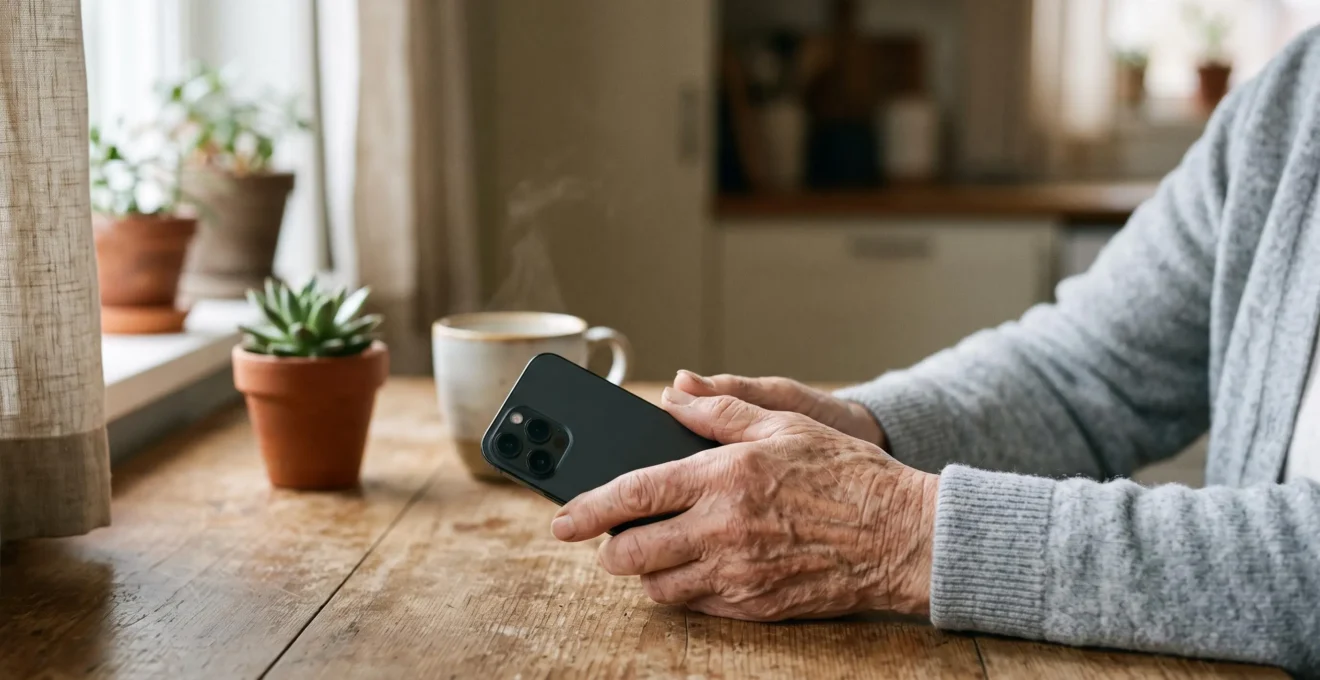
A health app’s true value isn’t the reminder alarm; it’s the intelligent system it builds around your health data.
- It tracks medication adherence, logs vital signs for trend analysis, and can share a verifiable history with caregivers and doctors.
- It transforms health management from a passive, memory-based task to an active, data-driven one, creating a proactive safety net.
Recommendation: Shift your thinking from a simple “pill reminder” to a “personal health partner” to unlock the technology’s full protective potential.
Forgetting to take a medication is a common, often frustrating, experience. The usual solution involves a weekly pillbox, a hastily scribbled note on the fridge, or simply trying harder to remember. We’ve been told that diligence is the key. But what if the problem isn’t our memory, but the system we’re relying on? The challenge of managing health, especially with chronic conditions, goes far beyond simply remembering a pill at 8 AM. It involves tracking symptoms, monitoring side effects, and communicating complex information to doctors.
This is where the conversation often shifts to technology, with the promise that a smartphone app can solve everything. However, this introduces new anxieties: Are these apps secure? Are they too complicated? Will they just become another forgotten item on a home screen? The key isn’t to just add another alarm to your day. The real revolution is in reframing the role of your phone. Instead of a simple reminder tool, a well-chosen app can become a dedicated health-data partner. It creates a proactive safety net by not just telling you *what* to do, but by helping you, your family, and your doctor understand *what’s happening* over time.
This guide will walk you through how to harness this potential. We will explore what tasks apps genuinely manage better, how to find trustworthy tools, and how to get started without feeling overwhelmed. We’ll also examine how this technology fits into the bigger picture of your health, comparing it to traditional methods and exploring its power to track vital data that can offer protection and peace of mind.
To help you navigate this topic, this article is structured to answer your most pressing questions in a clear and logical order. Explore the sections below to find the information most relevant to your needs.
Summary: Why a Phone App Is a Better Medication Partner Than Your Memory
- What Health Tasks Can Apps Actually Help You Manage Better Than Paper and Memory?
- How to Find Health Apps That Actually Work and Won’t Steal Your Data?
- How to Get Started With a Health App When the Instructions Assume You Already Know Everything?
- Can a Medication Reminder App Replace Your Pill Box or Is It One More Thing to Forget?
- How to Use 3 Different Health Apps Without Spending Your Whole Day on Technology?
- Pill Organisers, Apps, or Pharmacy Services: Which System Prevents Dangerous Medication Errors?
- What Can Health Technology Actually Track That Protects You as You Get Older?
- What Can Your Watch Tell You About Your Heart That Your Doctor Can’t See in a 10-Minute Appointment?
What Health Tasks Can Apps Actually Help You Manage Better Than Paper and Memory?
The most basic function of a health app is the reminder, but its true power lies in moving beyond that simple alarm. Human memory, especially for routine tasks, is fallible. In fact, some research indicates that medication non-adherence affects as many as three-quarters of elderly patients with chronic conditions. An app provides a reliable, consistent prompt that memory alone cannot guarantee. However, the real advantage is what happens *after* the reminder.
Unlike a paper log or a mental note, an app creates a verifiable digital record. When you mark a dose as “taken,” you are building a history. This log is invaluable for you, your caregivers, and your doctors, answering the question, “Did I take my 2 PM medication, or did I just think about it?” Over weeks and months, this data provides a clear picture of adherence that is impossible to reconstruct from memory.
Furthermore, advanced apps act as a central hub for your health data. They transform your phone into a health-data partner. For example, the MyTherapy app allows users to not only get pill reminders but also log their mood, weight, and blood pressure, or track symptoms of a chronic illness using dozens of different measurements. This creates a rich, contextualised history that can be shared with a doctor, leading to more productive conversations and better-informed treatment decisions. It’s the difference between saying “I’ve been feeling a bit off” and showing a chart that correlates a new medication with a consistent drop in blood pressure and improved mood.
How to Find Health Apps That Actually Work and Won’t Steal Your Data?
The app store is a crowded marketplace, and not all health apps are created equal. Many are confusing, poorly designed, or, more worryingly, not secure. The common advice to “check the reviews” is often insufficient. A high rating can reflect a flashy design rather than genuine usability or data security. The key is to establish a system of trust by vetting an app before you commit your personal health information to it.
The problem is that many app developers don’t adequately consider the needs and abilities of older adults. One study on app design found that complex interfaces and difficult operations are common because the design process often fails to account for the very users they aim to serve. This reinforces the need to look beyond marketing claims. A trustworthy app should have a clear and easy-to-find privacy policy that explains what data it collects and how it is used. It should also provide obvious contact information for support. If you can’t figure out who made the app and how to contact them, that’s a significant red flag.
This image helps to visualize the concept of protecting your digital health information as a precious and private asset.
When selecting an app, prioritize those recommended by healthcare institutions, non-profit organisations dedicated to seniors, or your own doctor. These organisations have often done the vetting for you. Ultimately, you are hiring the app for a job. Before you install it, be sure it has the right qualifications, including a strong commitment to keeping your personal data safe and private.
How to Get Started With a Health App When the Instructions Assume You Already Know Everything?
One of the biggest barriers to adopting new technology is the feeling of being left behind. App designers often assume a level of digital familiarity that doesn’t reflect everyone’s reality. This is particularly true for older adults; for instance, some data shows smartphone usage is less than 10% among seniors 75 and older. When instructions are filled with jargon or skip over basic steps, it’s natural to feel frustrated and give up.
The secret to overcoming this is to take control of the learning process. Ignore the fancy features and focus on one single task: setting up one medication reminder. Don’t try to input your entire medical history on the first day. The goal is to build confidence through small, successful steps. Ask a tech-savvy family member or a friend to sit with you, not to do it *for* you, but to act as a guide while you perform the actions yourself. This hands-on practice is crucial for building muscle memory.
Most importantly, be patient with yourself and the technology. Treat it like learning any new skill. There will be moments of confusion, but each small victory builds momentum. By starting small and focusing on the core function, you demystify the process and prove to yourself that you are in control of the technology, not the other way around.
Your action plan: Getting started without the overwhelm
- Start with just the core reminder feature before exploring anything else.
- Enter one medication at a time, confirming the name, dose, and timing are correct.
- Test the alert sound and notification style before relying on it for a real dose.
- Practice dismissing or confirming a reminder several times until it feels automatic.
- Only after a few days of comfort, look at one additional feature, such as refill alerts.
Can a Medication Reminder App Replace Your Pill Box or Is It One More Thing to Forget?
This is a critical question. The stakes are incredibly high, as according to CDC figures, medication non-adherence causes approximately 125,000 deaths annually and is responsible for a significant number of hospitalisations. A pillbox provides a tangible, at-a-glance confirmation that a dose has been taken. Its simplicity is its strength. An app, on the other hand, offers powerful features like complex scheduling and remote caregiver alerts, but introduces its own potential points of failure: a dead battery, a software crash, or a notification that gets swiped away unintentionally.
The decision isn’t about which tool is universally “better,” but which system is more reliable for *your* specific needs and routine. It’s a trade-off between the physical certainty of a pillbox and the intelligent features of an app. Thinking of it as a direct replacement might be the wrong approach. For some, a hybrid system offers the best of both worlds. You can continue to use a weekly pill organiser for the physical sorting of medications, while the app serves as the primary reminder and a log for tracking and sharing data with family.
The following table breaks down the core differences to help you decide on the right system. It highlights that the choice depends entirely on your daily routine, the complexity of your medication schedule, and your comfort with technology.
| Criterion | Medication Reminder App | Physical Pill Box |
|---|---|---|
| Best for | Complex, multi-timing schedules and travel | Simple, once- or twice-daily routines |
| Main point of failure | Dead battery, software crash, missed notification | Forgetting to refill or a moved container |
| Visual confirmation | Digital log only | Physical, at-a-glance confirmation of doses taken |
| Caregiver visibility | Remote alerts and shared logs available | Requires an in-person check |
| Works during a power or network outage | No, depends on device and connectivity | Yes, always functional |
How to Use 3 Different Health Apps Without Spending Your Whole Day on Technology?
The idea of adding not just one, but multiple health apps can feel daunting, suggesting a future spent glued to a screen. The key to avoiding this “app overload” is to stop thinking of them as overlapping programs and start thinking of them as task-specific tools in a toolbox. You wouldn’t use a hammer to turn a screw, and you shouldn’t use a simple reminder app to manage your entire medical record.
Adopt the “Job Description Method”: assign one, and only one, primary role to each app. By defining a clear purpose for each tool, you create an efficient, non-overlapping system. This approach prevents confusion and ensures you are using the best possible tool for each specific health management task.
For example, you could build a powerful system with three distinct apps:
- Job 1: Visual Reminders. You might assign Pillboxie the single job of providing intuitive, visual reminders for taking doses, using its reward system to encourage adherence.
- Job 2: Central Record Hub. CareZone could be given the job of being your central medication library. Its strength is scanning prescription bottles to create a definitive, shareable list for appointments or emergencies.
- Job 3: Caregiver Communication. An app like EveryDose could be tasked with the sole purpose of keeping a designated family member in the loop, automatically alerting them to missed doses and providing a shared log for peace of mind.
By assigning each app a single, clear “job,” you build a powerful and streamlined system without creating digital clutter. You only open the specific app you need for the task at hand, making your interaction with technology more efficient and purposeful.
Pill Organisers, Apps, or Pharmacy Services: Which System Prevents Dangerous Medication Errors?
When the goal is preventing dangerous medication errors, the discussion expands beyond a simple app or a plastic box. A third, crucial option is the pharmacy pre-packaging service, often known as blister packs or dose-administration aids. These services have the pharmacist sort and package your medications by dose and time, removing the risk of human error during weekly pillbox refills.
However, no system is perfect. Each has a unique potential point of failure. The most effective safety strategy involves understanding these vulnerabilities and implementing a safeguard. A pill organiser’s main weakness is the user filling it incorrectly. An app’s primary risk is technology failure. A pharmacy service’s biggest vulnerability lies in communication gaps between the doctor who prescribes a change and the pharmacist who fills the pack.
The safest approach is often a belt-and-braces system that combines the strengths of two methods. For example, using a pharmacy pre-packaging service eliminates filling errors, while a reminder app ensures you take the correct packet at the correct time. This creates multiple layers of protection. The following table identifies the main failure point for each system and suggests the best safeguard to put in place.
| System | Main Point of Failure | Best Safeguard |
|---|---|---|
| Pill Organiser | Human error while filling compartments | Pair with a checklist or have a caregiver verify weekly fills |
| Reminder App | Technology failure (dead battery, crash, missed notification) | Keep a simple non-tech backup reminder as a fallback |
| Pharmacy Pre-Packaging Service | Communication gaps between prescriber and pharmacy | Confirm prescription updates directly with the pharmacist |
Key takeaways
- Think of apps as ‘health-data partners’ that track trends, not just as simple reminder alarms.
- Vetting an app for its privacy policy and developer transparency is more important than relying on store ratings alone.
- Wearable technology like smartwatches offers a ‘proactive safety net’ by tracking health metrics like gait and heart rhythms over time.
What Can Health Technology Actually Track That Protects You as You Get Older?
Modern health technology, particularly wearable devices like smartwatches and fitness bands, has created the possibility of a proactive safety net. These devices move beyond reactive care to offer continuous monitoring that can flag risks before they become emergencies. One of the most significant areas is fall prevention. Falls are a major threat to the independence of older adults, with alarming statistics indicate that one in three adults aged 65 years or older will experience a fall each year.
Many modern wearables include automatic fall detection, which can alert emergency contacts or services if a hard fall is detected and the user is unresponsive. This feature alone provides immense peace of mind for both the user and their family. However, the technology’s true preventative power lies in its ability to track subtle changes over time. By continuously monitoring metrics like walking speed, step length, and balance (gait), these devices can identify a gradual decline in stability that might go unnoticed day-to-day.
Case Study: Predicting Fall Risk with Wearable Sensors
The real promise of this technology lies in prediction, not just reaction. A study that used wearable inertial sensors to collect gait data from community-dwelling older adults was able to train a predictive model. This model could classify an individual’s fall risk with over 81% accuracy. This demonstrates how tracking movement trends over time can identify and flag risk long before an actual fall occurs, allowing for proactive interventions like physical therapy or home modifications. It shifts the focus from reacting to an injury to preventing one.
This data transforms a vague concern about “being less steady” into an objective, actionable insight. It empowers individuals and their doctors to intervene early, potentially preventing a fall and preserving independence for longer.
What Can Your Watch Tell You About Your Heart That Your Doctor Can’t See in a 10-Minute Appointment?
A standard doctor’s appointment provides only a brief snapshot of your health. A 10-minute ECG reading in a clinic can easily miss an intermittent heart condition like atrial fibrillation (AFib), a common type of irregular heartbeat that can lead to serious complications. This is where a smartwatch with ECG capabilities can become an invaluable health partner, providing the continuous data that a single office visit cannot.
These devices are not medical-grade tools, but their accuracy is impressive. For instance, a systematic review found smartwatch ECG algorithms reach 86% sensitivity and 94% specificity for detecting atrial fibrillation. This means they are quite good at correctly identifying AFib when it’s present and correctly identifying its absence. The watch isn’t making a diagnosis; it’s acting as a sophisticated screening tool, alerting you when a reading warrants a follow-up with a medical professional.
The true benefit is the ability to create data-informed conversations with your doctor. Instead of describing a fleeting feeling of a “fluttering” heart, you can present your doctor with a tangible ECG strip recorded by the watch during the event. One study comparing devices after cardiac surgery found the Apple Watch’s data correlated with true AFib events 75% of the time, compared to just 30% for a Fitbit device, highlighting how the context a watch captures can be crucial. This objective data allows your doctor to see exactly what you experienced, leading to a faster and more accurate diagnosis.
The first step towards leveraging this technology is to explore which type of app or device best suits your immediate needs, starting with one clear goal and building your system of trust from there.