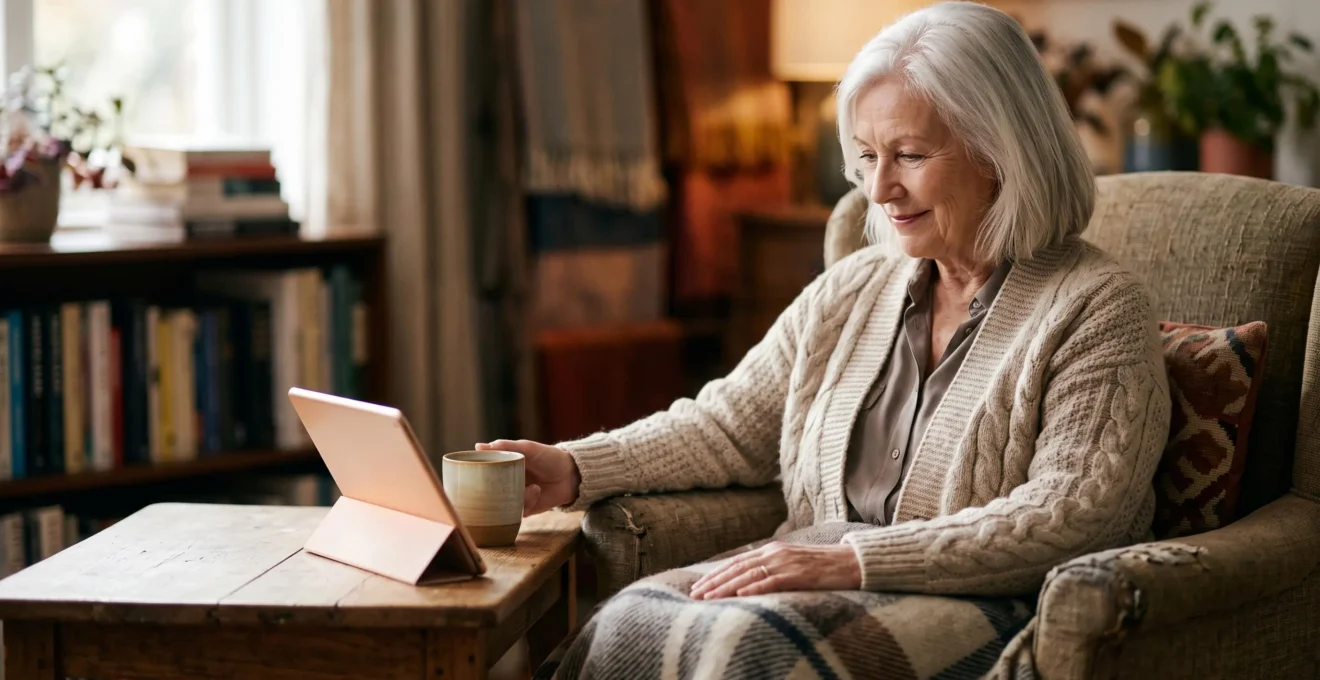
A video GP appointment is not a lesser substitute for a face-to-face visit; it’s a distinct clinical tool that, when used correctly, can offer faster, more focused, and uniquely insightful care.
- Effective preparation transforms you from a passive patient into an active partner in your consultation.
- Remote calls serve as expert triage, ensuring you get the right type of care (video, phone, or in-person) faster.
Recommendation: Treat your next video appointment as a strategic opportunity. Prepare your notes, your technology, and your home environment to give your doctor the clearest possible picture of your health.
The frustration is familiar to many: you feel unwell, but the next available routine GP appointment is weeks away. In this context, the offer of a video consultation can feel like a compromise—a quick fix, but perhaps not ‘proper’ medicine. This is a common and understandable concern, especially for those who value the established relationship and physical examination that comes with a surgery visit. Many worry that a doctor seeing them on a screen might miss something crucial.
However, this view overlooks a fundamental shift in modern healthcare. The question is no longer whether video calls are as good as in-person visits, but how we can leverage them as a powerful, distinct type of clinical encounter. When prepared for and conducted correctly, a video appointment isn’t just about convenience; it can provide your doctor with unique information that is impossible to gather in a sterile clinic room. It empowers you to become a more active partner in your own healthcare.
This guide will reframe your perspective on telemedicine. We will move beyond the simple platitudes and explore the hidden clinical advantages. We will detail how to turn a video call into a highly effective consultation, what to prepare, and how to manage the technology. We’ll also address the critical safety questions and look at how this technology extends from your GP to hospital specialists and even to the gadgets you might already own. This is about improving your access to care and, ultimately, your health outcomes.
This article provides a comprehensive overview of how to make remote healthcare work for you. Explore the sections below to navigate directly to the information you need most.
Summary: A Guide to Mastering Your Video Health Appointments
- Which Health Problems Can Your GP Handle by Video and Which Need Face-to-Face Examination?
- How to Prepare for a Video GP Appointment So You Get as Much as From a Surgery Visit?
- How to Set Up Video Calls With Your GP When You’ve Never Done a Video Call Before?
- Will Your Doctor Miss Something Serious if They Only See You on a Screen?
- Can You See Hospital Consultants by Video and How Does That Work?
- How to Access Every NHS Screening You’re Entitled to After 60: The Complete Checklist?
- When Can You Rehydrate a Dehydrated Elderly Person at Home and When Must You Call 999?
- Why Might a Smartwatch Save Your Life at 75 When It Was Just a Gadget at 45?
Which Health Problems Can Your GP Handle by Video and Which Need Face-to-Face Examination?
A video consultation is not a one-size-fits-all solution, but its scope is broader than many people assume. The key is to understand its primary role in modern general practice: expert triage. GPs use video calls as a powerful diagnostic tool to determine the nature of a problem and decide on the most appropriate next step. With the NHS conducting over 1 million video and online consultations in a single recent year, this method is now a core part of primary care.
Many conditions are well-suited for a video-first approach. These include:
- Visible skin conditions: Rashes, moles, skin lesions, and acne can often be assessed very effectively via a high-quality camera. You can show the GP exactly where the problem is in real-time.
- Mental health consultations: Discussing anxiety, depression, or stress can be just as effective, and sometimes more comfortable for the patient, when done from their own home.
- Medication reviews and follow-ups: Discussing the effectiveness and side effects of ongoing treatment for chronic conditions like hypertension, diabetes, or asthma is a perfect use of video calls.
- Simple infections: Conditions like urinary tract infections or sinusitis can often be diagnosed based on a detailed description of symptoms.
Conversely, some situations almost always require a physical examination. These include severe pain (especially chest or abdominal), breathing difficulties, suspected broken bones, or any problem requiring a GP to physically touch the area (like feeling a lump or listening to your chest). However, even here, a video call can be a crucial first step. A recent study in BJGP Open highlighted that UK urgent care GPs value video to build rapport and perform a limited visual assessment under instruction, which helps them decide how urgently a patient needs to be seen in person. This “digital triage” ensures that face-to-face appointments are prioritised for those who need them most, getting you the right care, faster.
How to Prepare for a Video GP Appointment So You Get as Much as From a Surgery Visit?
The single most important factor in a successful video consultation is preparation. Unlike a surgery visit where the environment is controlled and equipped, a video call relies on you to become an active partner. By preparing in advance, you can provide your GP with high-quality information that makes the consultation incredibly efficient and effective. Think of it as setting the stage for a productive clinical encounter.
Before your appointment, gather your thoughts and tools. Write down a bulleted list of your symptoms, including when they started and what makes them better or worse. Note down all your current medications and dosages, including over-the-counter ones. Most importantly, gather any home-environment data you can. This is your unique advantage. A GP in a clinic can’t see your home, but you can show them. This could mean showing them your swollen ankle, the lighting in the hallway where you fell, or the collection of pills you’re trying to manage.
This preparation should also include simple home diagnostic tools. If you have them, have a thermometer, a blood pressure monitor, or even bathroom scales ready. Take your temperature and blood pressure about 15 minutes before the call and have the readings ready to share. If your issue is visual, like a rash, make sure you are in a room with good, natural light. Have a torch handy in case the doctor asks you to illuminate an area, such as your throat.
As the image above illustrates, simple tools can transform your role in the consultation. By having these items ready, you are providing your GP with objective data points that they would otherwise have to gather in the surgery. This proactive approach doesn’t just save time; it elevates the quality of the remote examination and demonstrates that you are a serious, engaged partner in managing your health. It turns a simple video chat into a data-rich clinical assessment.
How to Set Up Video Calls With Your GP When You’ve Never Done a Video Call Before?
For many, the biggest hurdle to using remote healthcare isn’t a lack of interest, but the perceived technical challenge. The idea of setting up a video call can be daunting if you’ve never done one before. The good news is that GP practices and the NHS have worked hard to make this process as simple as possible, often requiring little more than a single click.
Your GP practice will use a specific, secure platform for consultations. The first step is simply to ask the receptionist which system they use and how it works. In most cases, you will be sent a text message or an email with a secure link shortly before your appointment time. You will not need to download a complex program or create an account with a password. You simply click the link on your smartphone, tablet, or computer, and you will be taken to a virtual waiting room. Ensure your device has a camera and microphone, and that you have given the web page permission to use them when it asks.
Feeling comfortable with the technology is key to a relaxed consultation. If you’re anxious, it’s a great idea to do a practice run. Ask a family member or friend to do a video call with you using a common application like WhatsApp, FaceTime, or Skype on the same device you plan to use for your GP appointment. This allows you to get used to how the camera works, where to look, and how to adjust the volume. For your first one or two official appointments, you could even ask a tech-savvy relative or friend to be with you to handle the setup, allowing you to focus entirely on speaking with your doctor.
Your Action Plan: First-Time Video Call Setup
- Ask your practice which platform they use and whether it requires an app, a login, or simply a text/email link to click.
- Do a short practice call with a family member on the same type of device beforehand to get comfortable with the camera and microphone.
- Arrange for a tech-confident relative or friend to be present for your first one or two appointments to handle the technical side.
- Keep the invitation link or text message easily accessible so you are not searching for it when the appointment time arrives.
- If the connection fails, know that your practice will normally fall back to a telephone call, so a video hiccup will not mean losing the appointment.
Will Your Doctor Miss Something Serious if They Only See You on a Screen?
This is arguably the most significant concern for patients considering a video consultation, and it is a valid one. The idea of a missed diagnosis is frightening. However, it’s crucial to understand that GPs are acutely aware of the limitations of remote consultations and have specific strategies in place to mitigate these risks. This is a core part of their training in the era of digital-first primary care.
The most important of these strategies is known as “safety-netting”. This is a conscious process where a doctor, at the end of a consultation, provides you with clear, specific instructions on what to do if your symptoms don’t improve, or if new, more serious symptoms appear. A qualitative study published in the British Journal of General Practice found that effective safety-netting and clear follow-up plans are key to mitigating risk in remote care. Your GP might say, “Based on what you’ve told me, this sounds like a viral infection. However, if you develop a high fever or have trouble breathing, you must call us back or go to A&E.” This creates a shared plan and empowers you to act if things change.
Furthermore, video consultations are rarely used in isolation for complex or ambiguous cases. They are part of a toolkit. The GP might use the video call to decide that you need blood tests, and arrange for you to come to the surgery just for that. They might follow up a video call with a phone call two days later to check on your progress. For chronic conditions, remote care can actually improve outcomes. A comprehensive systematic review found that telehealth for chronic disease management led to a notable improvement in quality of life for patients compared to usual care, likely due to more frequent and convenient check-ins.
Ultimately, the system is built on trust and a two-way diagnostic partnership. You provide clear information based on your preparation, and the doctor uses their clinical judgment to assess the situation and create a safe plan. A video call is not a barrier to this; it is simply a different medium for the same professional standard of care.
Can You See Hospital Consultants by Video and How Does That Work?
The move towards telemedicine extends far beyond your local GP surgery. Hospitals across the NHS are increasingly using video consultations for outpatient appointments with specialist consultants. This can be an incredibly beneficial development for patients, particularly those with mobility issues or who live far from the hospital, saving significant time, cost, and stress associated with travel and parking.
The process usually begins with your GP. If they believe you need to see a specialist, they will make a referral as normal. The hospital department will then review the referral and decide on the most appropriate format for your first appointment. For many specialties, a video call is now the default starting point. This is especially common for consultations that are more about discussion and review than physical examination. For example, a neurology follow-up, a medication review with a psychiatrist, or a post-operative check-in with a surgeon where they just need to see the wound is healing.
Specialties like dermatology are a perfect fit for this “virtual outpatient” model. A GP can take a high-quality digital photograph of a skin lesion, send it securely to the dermatology department (a process called “teledermatology”), and a consultant can often provide a diagnosis and management plan without the patient ever needing to attend the hospital. If the consultant does need to speak with you, a video call is an efficient way to do so. This system ensures that urgent cases are prioritised for in-person visits, while routine matters are dealt with much more quickly.
If you are offered a video appointment with a hospital consultant, the setup is typically very similar to a GP video call. You will receive a secure link via email or text. The preparation is also the same: write down your questions, have your medication list ready, and be in a quiet, well-lit room. This shift means that for many long-term conditions, your healthcare can be managed more continuously and conveniently, with hospital visits reserved for procedures and examinations that absolutely require a hands-on approach.
How to Access Every NHS Screening You’re Entitled to After 60: The Complete Checklist?
Proactive healthcare isn’t just about reacting to illness with video calls; it’s about actively participating in the preventative programmes designed to keep you healthy. The NHS offers a suite of free screening programmes for people over 60, designed to detect serious conditions early when they are most treatable. However, uptake can be surprisingly low; for instance, official figures show that the average uptake of the NHS Health Check invitation was just 46.5% in recent years. Knowing what you’re entitled to and actively seeking it out is a crucial part of managing your health.
After the age of 60, you are invited to several key screening programmes. You should automatically receive invitations by post, but it’s vital to know what to look for in case a letter goes astray or you need to follow up. The main programmes include Bowel Cancer Screening, Breast Cancer Screening for women, and Abdominal Aortic Aneurysm (AAA) screening for men. Additionally, if you have diabetes, you are entitled to annual Diabetic Eye Screening to check for signs of retinopathy.
Being aware of these programmes and their importance is the first step. The second is understanding the uptake rates and why participation is so vital. Lower uptake can lead to delayed diagnoses and poorer outcomes, which is why public health bodies are so keen to encourage participation.
The following table, based on recent UK government data, shows the uptake for some of the major screening programmes. It highlights how many people are taking part and, implicitly, how many are missing out on these vital checks.
| Screening Programme | Eligible Age Group | Uptake Rate |
|---|---|---|
| Breast Cancer Screening | Women 53–70 | 61.8% |
| Bowel Cancer Screening | 60–74 | 70.95% |
| Diabetic Eye Screening | 12+ with diabetes | 67.9% |
If you believe you are overdue for a screening, do not wait for a letter. Contact your GP surgery. They can check your record, tell you when you were last invited, and advise you on how to book an appointment or request a new bowel cancer screening kit. Taking an active role in your screening schedule is one of the most powerful health decisions you can make.
When Can You Rehydrate a Dehydrated Elderly Person at Home and When Must You Call 999?
Recognising the signs of dehydration and knowing the correct response is a critical piece of home healthcare knowledge, and it’s a skill that can be supported by remote advice from a GP or NHS 111. Dehydration in older adults can develop quickly and have serious consequences. A landmark cohort study found that 37% of older adults admitted to hospital as emergencies were dehydrated, and they were six times more likely to die in hospital than those who were well-hydrated. This stark statistic underscores why early recognition and appropriate action at home are so vital.
In many cases, mild to moderate dehydration can be managed safely at home. The early signs include feeling thirsty, having a dry mouth, lips, and eyes, feeling dizzy or lightheaded, and passing dark-coloured urine infrequently. If you or someone you care for is experiencing these symptoms, the immediate response should be to start rehydrating slowly. Small, frequent sips of water are best. You can also use oral rehydration solutions (available from pharmacies) which replace lost salts and sugars as well as water. Avoiding caffeine and alcohol is also important.
However, there are clear red flags that indicate the situation has become a medical emergency requiring an immediate 999 call. It is crucial not to delay in these circumstances. You must seek emergency help if the person:
- Is experiencing confusion, disorientation, or a significant change in their usual mental state.
- Is feeling drowsy and difficult to wake up.
- Is breathing rapidly or has a fast heart rate.
- Has not passed urine at all in the last 8 hours.
- Has had a fall as a result of dizziness or weakness.
These are signs of severe dehydration, where the body is starting to shut down and home treatment is no longer safe or sufficient. The person will likely require an intravenous drip in hospital to restore their fluid levels quickly and safely. Knowing the difference between “needs a drink” and “needs an ambulance” is a life-saving distinction. If in any doubt, it is always safest to call NHS 111 for urgent advice or 999 in a clear emergency.
Key Takeaways
- Video consultations are a distinct and powerful clinical tool, not just a convenient substitute for in-person visits.
- Thorough preparation—including notes, questions, and simple home measurements—is the single biggest factor in a successful remote appointment.
- Your doctor uses video calls for expert triage and has safety-netting strategies in place to manage risk and ensure you get the right care.
Why Might a Smartwatch Save Your Life at 75 When It Was Just a Gadget at 45?
For years, smartwatches were seen by many as expensive gadgets for fitness enthusiasts. At 45, you might have used one to track your runs or daily steps. At 75, however, the very same technology transforms from a lifestyle accessory into a potentially life-saving medical device. This is because the features that are ‘interesting’ for a younger person become ‘critical’ when our health vulnerabilities change with age.
The most obvious example is automatic fall detection. A fall can be a devastating event for an older person. Data cited by senior safety researchers shows falls lead to around 3 million emergency room visits each year for seniors in the US alone. A modern smartwatch can detect a hard fall and, if the wearer is unresponsive, automatically call emergency services and send a location alert to designated family members. For someone living alone, this is not a gadget; it’s a lifeline that ensures help is summoned even when they cannot summon it themselves.
Beyond falls, the health monitoring capabilities are now reaching clinical-grade accuracy. A key function is the ECG (electrocardiogram) feature, which can monitor for signs of Atrial Fibrillation (AFib), a common heart rhythm problem that significantly increases the risk of stroke. Many people with AFib have no symptoms, so it goes undiagnosed. A smartwatch can passively monitor for irregularities and alert the wearer to seek medical advice. The clinical value of this is no longer theoretical. A randomized controlled trial found that a smartwatch system had 92.9% accuracy for detecting AFib compared to a standard medical monitor. This provides a user with concrete data to share with their GP, turning a vague feeling of “not being right” into an actionable medical conversation.
This is the new reality of proactive health management. The data from your wrist—your heart rate, your rhythm, your activity levels, your sleep patterns—becomes part of the “home-environment data” that enriches conversations with your doctor, whether they happen in person or via video. The watch that was a fun gadget at 45 becomes a silent guardian at 75, constantly gathering data that could one day save your life.
Now that you are equipped with the knowledge to make video consultations work for you, the next logical step is to put it into practice. Don’t wait until you are unwell; prepare now so you are ready to confidently and effectively manage your next healthcare interaction, whatever form it takes.